rss youtube linkedin google+ twitter facebook
Archive | 2010

Your Disaster Recovery Procedures for Dynamics GP

A Virginia client of mine recently called; their organization had been down all week due to a server crash. The IT department took an entire week to get the server back up and running and now it was my turn to get Dynamics GP back up and running. Fortunately, they made backups of their databases […]Read More
Inactive Accounts in Account Lookup Screens

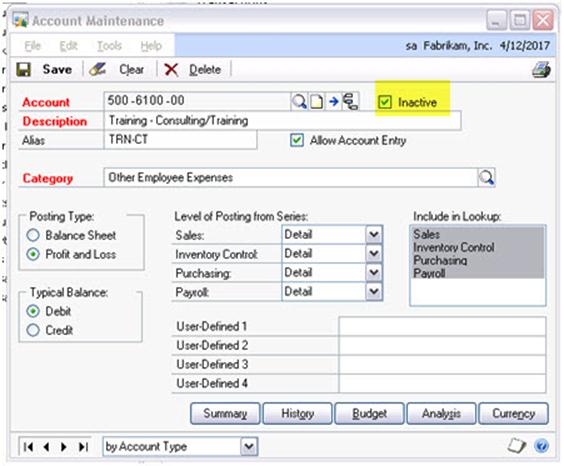
Many clients often ask me, “Is there a way to remove inactive accounts from the account lookup screens within Dynamics GP?” There is good news! The developers of Microsoft Dynamics GP 2010 have made this possible (at least for the GL entry screen).   Let me demonstrate. In the example below I have inactivated account 500-6100-00:     […]Read More

Activity Tracking in Dynamics GP

I recommend once you have reconfigured, or configured, a users’ Dynamics GP 10 security the best thing to do is to turn on Activity Tracking.   Activity Tracking can provide basic logging of  Dynamics GP security events. If a user logged in successfully, or unsuccessfully or when a user logged off. It can also track […]Read More

Brittenford Helps Nonprofits in More Ways than Their Financial Software!

Brittenford Systems helps non-profits with more than just their financial software! During the month of November, you can help Brittenford in our campaign to benefit Doorways for Women & Families. Simply visit Brittenford’s Facebook page and “like” Brittenford Systems. For every fan, Brittenford will donate $1.00 to Doorways for Women & Families. How easy is […]Read More

Brittenford Systems Launches “Running QuickBooks in Nonprofits” Webinar Series

Nonprofit users of QuickBooks will learn to track donors, grants, programs and funds; allocate expenses, and get reports. Brittenford Systems, a  professional services firm with deep experience in nonprofit accounting software implementations and support, has announced the launch of the only comprehensive webinar-based course for nonprofits using QuickBooks. The webinar series, scheduled to launch October […]Read More

Brittenford Systems Ranked Among Top 100 Peers for Fifth Consecutive Year

“Accounting Technology” Magazine Considers Growth, Client Satisfaction For the fifth consecutive year, Brittenford Systems has been recognized by “Accounting Technology” magazine as one of the Top 100 resellers of accounting systems in the United States. Brittenford Systems is a consulting firm that helps organizations harness the power of Microsoft software. The magazine’s “VAR100” list recognizes […]Read More

The “Pessimistic” Security Model for Microsoft Dynamics GP

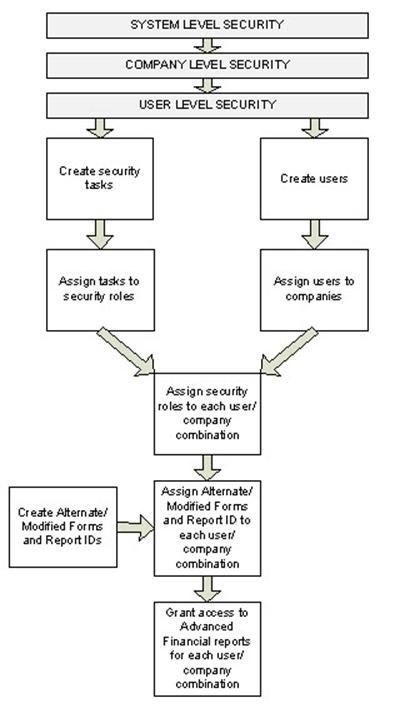
Security in Microsoft Dynamics GP is completely different beginning with Dynamics GP10. It’s much stronger, but requires understanding to take advantage of the new capabilities. Prior to Microsoft Dynamics GP10, user security took an “optimistic” approach. In other words, a user had access to everything, unless it was taken away. Microsoft Dynamics GP10 takes a “pessimistic” […]Read More

Dynamics GP 2010 Tips: Word Templates & Enhanced Email

Have you heard the buzz? Microsoft Dynamics GP 2010 has arrived!  Two new features that I find particularly useful are the pre-defined templates in Microsoft Word, and enhanced email capabilities.   Pre-Defined Templates in Microsoft Word     In Microsoft Dynamics GP 2010 you have the ability to work in an environment that we’re all familiar with: […]Read More

Looking for a Sarbanes-Oxley Compliance Tool for Dynamics SL?

My Sarbanes-Oxley compliant clients often ask if there are additional features for reporting and tracking changes to the Microsoft Dynamics SL database by user, date, screen ID, etc.   While Microsoft Dynamics SL does not offer these advanced tracking capabilities out-of-the-box, there is a third party tool, developed by KB Technologies, which allows more robust […]Read More

Clean Up Your Vendor List in Dynamics GP

Is your Dynamics GP vendor list full of old vendors you would like to delete, but can’t because they have a history? Here’s a simple solution.   Temporary Vendors can be deleted much easier than deleting Active Vendors. You will NOT lose transaction history; but the only way you can see the history is in […]Read More

Getting the Most From Microsoft Dynamics CustomerSource?

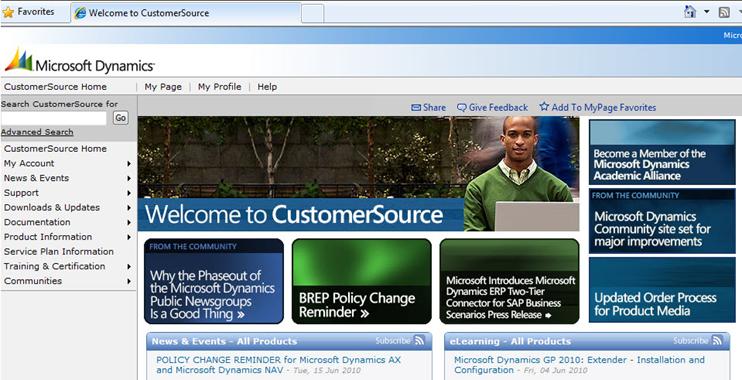
One of the key benefits of having an active Microsoft Support Service Plan is access to CustomerSource. Microsoft Dynamics CustomerSource is an award winning, personalized web site resource to help you optimize your use of Dynamics SL or Dynamics GP. Is your team getting the most from it? Reduce Support Costs with Self-Help Resources CustomerSource […]Read More

Get Organized! Dynamics SL’s Home Pane Favorites Makes it Easy

Imagine that the next time you login to Dynamics SL, you have easy access to your frequently used: screens, reports, internet websites, and other software applications. It’s possible, and easy to do. Dynamics SL offers a simple way to quickly organize your work – the “Favorites” area of your Dynamics SL home pane. Right click […]Read More

Limit Batch Release Access in Dynamics SL 7.0

So how do you control who is posting batches to SL 7.0?   In order to be sure a batch is not posted before it has been approved, follow these directions to stop users from selecting the ‘Release Now’ option.  Keep in mind you must own ‘Customization Manager,’ and have sufficient rights within SL. I’ll use […]Read More

What can SharePoint do for you?

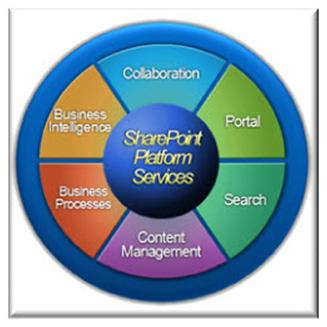
Often when talking to clients about SharePoint capabilities, I get the question, “What can this product actually do for us?”       SharePoint is a web based collaborative environment that provides content management, search capabilities, integrated reporting and analytics, and workflow and routing processes.       Here are some suggestions to help you […]Read More

Incorrect Menu in Dynamics SL 7.0?

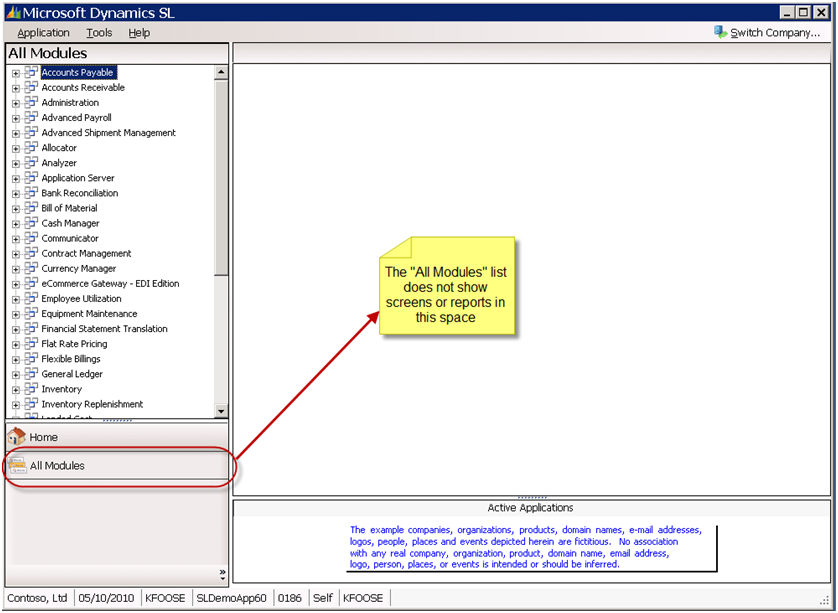
Several of my clients have reported that if they haven’t been assigned to the “everyone” group by the System Administrator, their menus are not displayed properly when they log into Dynamics SL 7.0.   Instead, what appears is the “All Modules” menu, with a list of all of the modules that exist in Dynamics SL. This […]Read More

Creating a Customized Business Alert in Dynamics GP 10

In last month’s blog I showed you how to activate business alerts in Microsoft Dynamics GP10 (see “Monitor Business Activity with Alert Feature in Dynamics GP“). The next step is to create your own customized business alert by defining an alert formula based on your specific needs. I’ll show you how. But first…a little bonus…here […]Read More

Add Shortcuts to Your Desktop in Dynamics GP 10.0

Shortcuts are a nice convenience and easy to add, yet many users don’t take advantage of the shortcut function in GP 10.0. Let’s walk through the steps of adding a shortcut to your desktop.       There are three areas on your Dynamics GP home screen that you can add shortcuts to. You can […]Read More

Brittenford Systems and Microsoft Announce Sales Promotion for Dynamics GP 2010

Get a new 3-user Dynamics GP financial management system and user training, valued at up to $13,930, for $1 Brittenford Systems and Microsoft have announced a major sales promotion, “3 Users for a Buck,” to celebrate the launch of Dynamics GP 2010. Through June 25th, a three-user Dynamics GP system and a monthly webcast training […]Read More

FRx Compatibility with Windows 7

Windows 7 is the newest operating system by Microsoft. If you are considering upgrading your workstations to Windows 7, it’s important to first make sure it’s compatible with FRX.   Below is a table of the operating systems which FRx 6.7 Service Pack 11 has been certified on: Operating System Platform Version Driver Driver Name […]Read More

Monitor Business Activity with Alerts Feature in Dynamics GP

Do you know that Microsoft Dynamics GP can help you monitor your organization’s data? It can, using the Business Alerts feature.     For example, suppose you want to know when account has exceeded its budget, when customer has exceeded their credit limit, when a new vendor is created, or when your checkbook balance decreases […]Read More

19 Tips and Tricks for FRx

Over the years, I’ve developed many tips and tricks for using FRx. Below are nineteen of my favorites.  Maintaining Your Reports Catalog Save a report prior to generating if any changes have been made to a catalog. You should also save a catalog before it is generated if a change has been made to the […]Read More

Microsoft Dynamics SL Shortcut Keys

I’m a fan of shortcut keys because they allow you to navigate in Dynamics SL without ever using the mouse. For me, this is a productivity enhancer. If you don’t know the available shortcut keys for Dynamics SL, below is a list.  These shortcuts work in Dynamics SL (and most Microsoft applications): Ctrl N New      […]Read More

Backing Up Dynamics SL Data

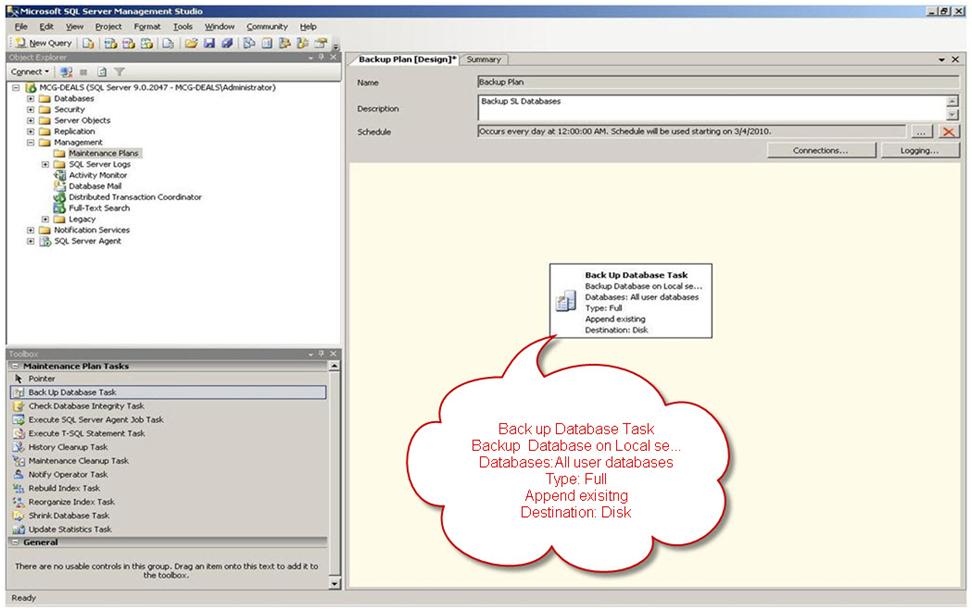
Do you know if your Dynamics SL data and files are being backed up daily? Have you tested restoring your backup files? Backing up the Dynamics SL databases and certain program files is an essential part of your daily system maintenance and disaster recovery plan. Your accounting data is being updated daily, so it’s important […]Read More

Microsoft Convergence 2010

Microsoft Convergence 2010 takes place April 24 – 27 in Atlanta. If you have not had the experience of attending the biggest annual Microsoft user event, Convergence, I suggest giving it a try.       This year, the event takes place in Atlanta from April 24th through the 27th. It’s big, it’s high-energy, and […]Read More

New! Document Job Processes within Dynamics SL 7

Have you documented your current accounting job processes? Processes such as how to close out the month, how to issue checks, or how to add a new vendor? Good job process documentation facilitates personnel transitions and user training, and makes for good internal controls.  In practice, documentation is often incomplete, outdated, or non-existent. Hooray SL […]Read More

Brittenford Systems to Offer Two New Classes on Microsoft Dynamics CRM 4.0

Users will learn how to customize, configure, and integrate Microsoft CRM Brittenford Systems, a professional services firm that helps organizations harness the power of Microsoft software, has announced the addition of two classes on Microsoft Dynamics CRM 4.0, to its training lineup. The first class, Customization and Configuration in Microsoft Dynamics CRM 4.0, will provide […]Read More

Convergence 2010 – Planning to Attend?

Convergence is the premier annual Microsoft Dynamics GP, SL and CRM event, bringing customers, partners, team members and industry experts together in an environment created for you to discuss solutions, address business needs and establish a true community that can be leveraged throughout the year. In 2010, Convergence will take place in Atlanta, Georgia on […]Read More

Too Many SL 7 Menu Options?

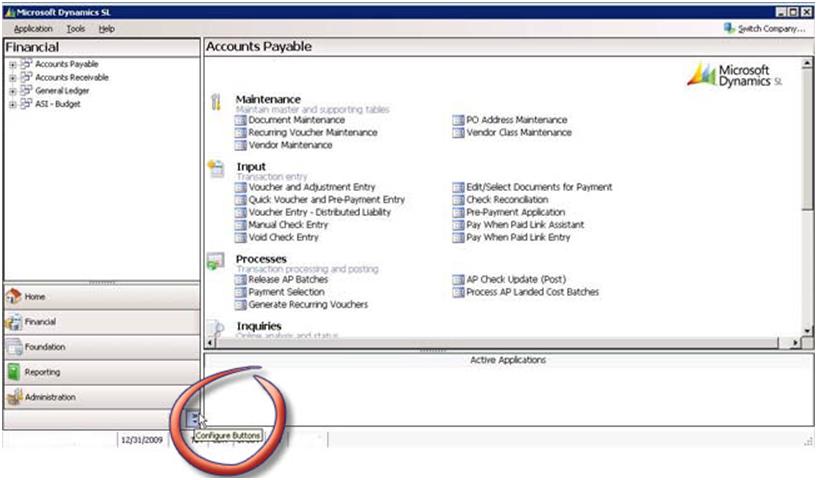
Do you have too many options on your SL menu? Well, it’s really easy to hide menus and just as easy to add the menus back if you need! Just click on the Configure Buttons as shown below: Then click on the Add or Remove buttons and click on the menu you want to remove, […]Read More

Errors occur while launching Dynamics SL 7.0 when you have .NET 3.5 SP1 Installed

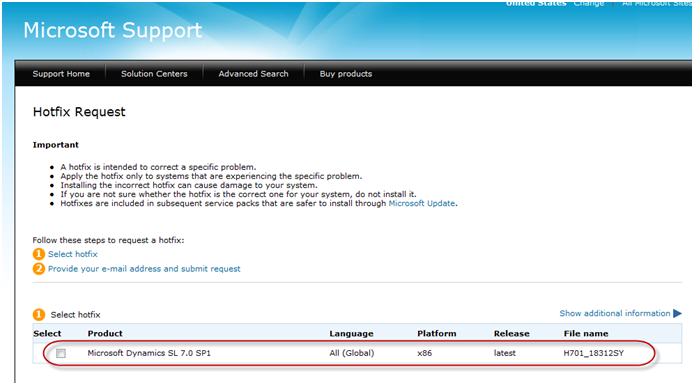
After a routine Windows update, several of our clients have experienced the following issue when they try to open Microsoft Dynamics SL 7.0: On an x64 computer, Microsoft Dynamics SL opens. However, the menu captions appear as numbers instead of as words. On an x32 computer, Microsoft Dynamics SL does not open. You receive a generic Windows error […]Read More

Resetting User Passwords in Dynamics SL 7.0

Last week I received a call from a Microsoft Dynamics SL 7.0 client struggling with changing a Solomon user’s password.  The user had forgotten their password and the system administrator didn’t know how to make the change in their newly upgraded SL 7.0 environment. Here are the steps to change passwords for any user on […]Read More

LeadFormix -->